
Installing Oracle RAC in Windows is always an adventure, specially in Windows 2022 that was released after Oracle Database 19c launched. If you are receiving this error: # For WARNING: [Apr 9, 2026 12:49:37 PM] [WARNING] [INS-08109] Unexpected error occurred while validating inputs at state ‘CRSNodeInformationUI’. CAUSE: No additional information available. ACTION: Contact Oracle Support …
Feb 11
How to patch Oracle Database using controlled RAC Rolling with AutoUpgrade
In this post, I will show you how to patch your Oracle Database, having full control over the rolling steps (when each instance will bounce), using the new AutoUgrade RAC Rolling feature that was made available in the 26.2 AU release. With this method, you can patch your environment without any application disruption, especially if …
Feb 10
RAC Rolling mode in AutoUpgrade
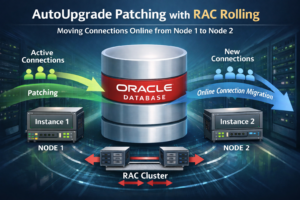
RAC Rolling is a very important feature for customers who want to patch their Oracle Database with no downtime. Now, with the new AutoUpgrade 26.2, customers can use RAC Rolling mode with AutoUpgrade, having full control over the shutdown/startup of the instances! In this article, I will show how to do this. Let’s get started! …
Feb 06
Downloading and using Gold Image with AutoUpgrade
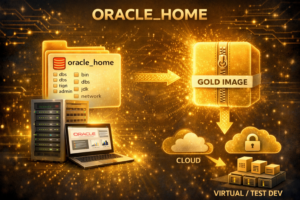
We are happy to announce that starting in AutoUpgrade 26.2, it is possible to use and download Gold Images on the tool, which will speed up your patching process! Let’s get started! How does it work? The Gold Image feature works by transparently calling the Oracle Update Advisor service, providing the list of patches on …
Jan 14
Upgrade a full CDB from Oracle 19c to 26ai between two different servers using AutoUpgrade
In this article, I’ll walk through upgrading an entire 19c CDB by relocating it from Server A to Server B and upgrading it to 26ai using AutoUpgrade. Note: this approach is handy when the target database version or operating system differs from the source. If you want to just move a single PDB instead, which …
About

Rodrigo Jorge
Oracle OCM Database 11g & 12c
Oracle OCM MAA & Cloud
Oracle OCE Data Guard 12c
Oracle OCE RAC and Grid 11gR2 & 12c
Oracle OCE Performance Tuning 11g & 12c
Oracle OCS Security 11g
Oracle OCS Data Warehousing 11g